Single-Tenant Power
All the CPU, RAM and storage of the server are yours alone, no noisy neighbors, and predictable, consistent performance.

Get a single-tenant India dedicated server with full root access, hosted in an Indian data center for fast, low-latency performance across India and South Asia. Managed or unmanaged, with free DDoS protection and 24×7 expert support.
Full Root Access
Any OS or control panel
Free DDoS Protection
Always-on, no extra cost

Single-tenant servers in Mumbai, billed in US dollars. Prices include the Mumbai data center rate; anything the data center cannot ship today is shown as unavailable.
Full root access, IPMI/KVM and 24×7 support on every server. OS, control panel and add-ons are chosen at checkout.
Prices are in USD and exclude any applicable taxes, which are shown at checkout.
A dedicated server is a whole physical machine that runs only your workloads. Our India dedicated servers are in a Mumbai data center, which keeps latency low for users across India and South Asia. They are a good fit if most of your visitors or customers are in that part of the world.
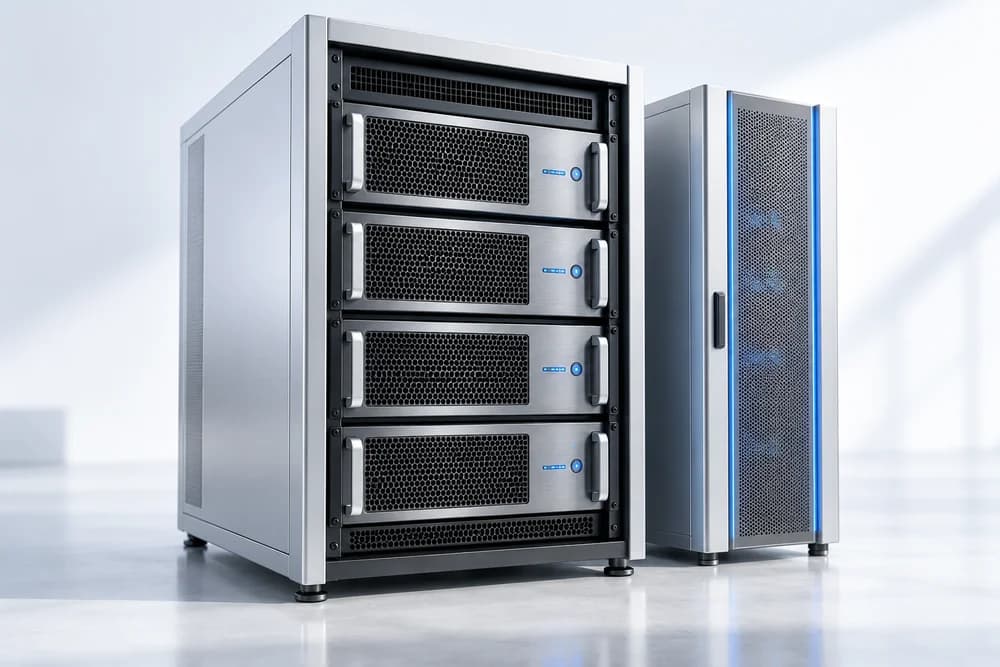
Each server has a one-time setup fee, shown under its price in the table above. Taxes, where they apply, are added at checkout.
Need a different location? See dedicated servers in Singapore, Australia, Canada and France, or compare every range on the dedicated servers overview.
Single-tenant power and India hosting built for performance
All the CPU, RAM and storage of the server are yours alone, no noisy neighbors, and predictable, consistent performance.
Servers hosted in an Indian data center deliver low latency and fast load times across India and South Asia.
Choose fully managed support where we handle setup and maintenance, or run it yourself with full root control.
Always-on DDoS protection plus round-the-clock expert support keep your server fast, secure and online.
Raw, single-tenant bare-metal power in India for demanding workloads.
All the CPU, RAM and NVMe of a whole server, with no neighbors to slow you down.
Consistent performance for heavy databases and traffic peaks.
Dedicated resources and low latency for real-time workloads.
Full root control to run exactly the stack and security you need.
Eight plans on one page is a lot to compare. The way we would narrow it down is to ask what will run out first. On most web and database servers that is memory, then disk speed, then CPU cores. Port speed only becomes the bottleneck for downloads, video and very large audiences, and the capacity section further down shows why.
| Plan | CPU | RAM | Storage | Port | Good for |
|---|---|---|---|---|---|
| Standard 1 | Xeon-E 2386G | 32 GB ECC | 2 x 512 GB NVMe | 1 Gbps | One busy site or app that has outgrown a VPS |
| Standard 2 | Xeon-E 2388G | 32 GB ECC | 2 x 512 GB NVMe | 1 Gbps | The same job as Standard 1, so choose on live price and stock |
| Standard 4 | EPYC 7313 | 64 GB ECC | 2 x 960 GB NVMe | 1 Gbps | Database-heavy stores and several apps on one machine |
| Pro 3 | EPYC 4464P | 64 GB ECC | 2 x 960 GB NVMe | 3 Gbps | Busy sites and APIs that need a wider port |
| Pro Storage | EPYC 4344P | 32 GB ECC | 2 x 22 TB SAS | 3 Gbps | Backups, archives and big file libraries |
| Pro 5 | EPYC 8224P | 96 GB ECC | 2 x 960 GB NVMe | 3 Gbps | Memory-hungry stacks, virtual machines and large caches |
| Enterprise I2 | Xeon Gold 6442Y | 128 GB ECC | Chosen at order: 2 x 1.92 TB to 6 x 7.68 TB NVMe | 5 Gbps | Large datasets and heavy delivery of big files |
| Enterprise A6 | EPYC 9654 | 128 GB ECC | Chosen at order: 2 x 1.92 TB to 6 x 7.68 TB NVMe | 5 Gbps | The AMD alternative to I2 for compute-heavy work |
Standard 1 and Standard 2 have identical memory and drives and differ only in the Xeon-E model, so treat them as one tier. Standard 4 doubles the memory and the disk size and moves to an EPYC 7313. If MySQL or PostgreSQL is the heaviest thing you run, that extra memory is what you are paying for, because a bigger buffer pool means fewer trips to disk.
Pro 3 has the same memory and drive sizes as Standard 4 but a different EPYC model and a 3 Gbps port. Compare the live prices, because if you do not need the wider port, Standard 4 may well be the better value. Pro 5 is the one to pick when memory is the shortage: 96 GB suits a handful of virtual machines, a large Redis or Memcached layer, or a database whose working set no longer fits in 64 GB.
Pro Storage is built for capacity, not speed. Large SAS drives are the right place for backups, exports and archives, and the wrong place for a busy database, where NVMe wins easily. The Enterprise servers pair 128 GB of memory with a 5 Gbps port and room for up to six extra 15.36 TB NVMe drives, which makes sense for large media libraries, analytics data or an application that serves very large files.
One honest warning: if your site gets a few thousand visits a day, none of these is the right purchase. A VPS costs less and is easier to resize.
What the labels on an India dedicated server mean once it is running
Error-correcting RAM catches and fixes single-bit errors, which suits databases and long-running services where a silent flipped bit could corrupt data.
The port is the ceiling on how fast data leaves the machine. Most sites never touch it, but large downloads and video can.
A remote screen and keyboard that works even when the operating system is down, so you can reinstall or fix a broken boot yourself.
Two drives let you mirror your data in software, so one failed drive does not take the site down with it.
Network-level filtering helps absorb floods of junk traffic. It does not fix a slow database query or an outdated plugin.
An unmanaged dedicated server in India is yours to install, secure and patch. That is the point of it, and also the part people underestimate. Before ordering, decide honestly who will do the work at 2 a.m. when a disk warning appears.
You choose the OS and control panel at checkout, so a fresh server normally arrives ready to log in. When you want to start again, or try a different distribution, the IPMI/KVM console is what makes that possible. Open the remote console, mount an installer image as virtual media if your console supports it, boot from it and install as you would on a PC. Ask support if you cannot find the console details for your server. While you are in the installer, set up software mirroring across the two drives.
# if you can reach the server's BMC address with ipmitool
ipmitool -I lanplus -H BMC_ADDRESS -U USERNAME -a chassis status
ipmitool -I lanplus -H BMC_ADDRESS -U USERNAME -a sol activate

# after first login: see what is waiting for a patch window
sudo apt list --upgradable        # Debian and Ubuntu
sudo dnf check-update # AlmaLinux, Rocky and similarRun it yourself if you already have a sysadmin or developer who is comfortable with SSH keys, firewalls and package updates, and if a few hours of downtime during a bad night is something your business can survive. Choose Managed Support ($35.00/mo) if nobody on your team wants that pager. It covers monitoring, security hardening, backups and patching, which are exactly the jobs that get skipped when a team is busy.
Agree on a regular patch window with whoever depends on the server, and base it on when your users are quietest. If most of them are in India, late night India time (around 01:00 IST) is common, and that is mid-afternoon on the US East Coast. Kernel updates need a reboot, so schedule one, and check with uname -r afterwards that the new kernel is running.
For the paperwork, the plan table shows prices before tax. Taxes, where they apply, are added at checkout. Your accountant can tell you how that applies to your business.
Mumbai is one of India's main internet gateways, and a server in the same country as your visitors usually responds faster than one on another continent. Distance and the number of network hops both add delay. A CDN can serve images and scripts close to visitors, but the origin server still answers every dynamic request: the cart, the login, the search.

If you sell to shoppers in India, expect your busiest days around Diwali. A dedicated server gives you a fixed amount of CPU and memory you do not share, so a rush will not be made worse by a neighbor. It will not make an untuned database fast, though, so test your checkout under load a few weeks earlier and add caching before the sale, not during it.
News, e-commerce and edtech sites aimed at India often publish in several Indian languages alongside English. Create your MySQL tables with the utf8mb4 character set so every script and emoji is stored correctly, and make sure fonts load from your own server. Our support team is available around the clock by live chat, email and ticket.
India's Digital Personal Data Protection Act, 2023 (DPDP Act) covers digital personal data of people in India, and some regulated sectors, payments for example, have their own rules about where data must be stored. The business is responsible for checking those rules, wherever it is based. This is general information, not legal advice, so please check with your own advisor. Hosting in India does not by itself make anyone compliant.
People usually move when the symptoms are obvious. Pages slow down at the same time every day. Your host throttles you or kills processes. The database needs more memory than the VPS can offer. You are paying for several VPS plans that could live on one machine. If that sounds familiar, a dedicated server is a fair next step. If your only problem is a slow WordPress theme, fix that first.
rsync -avz and dump databases with mysqldump --single-transaction. Test the site on the new server by editing your local hosts file.Stores and other sites that take orders need that read-only step, otherwise an order placed during the final copy is lost. If you want a second pair of eyes on the plan, talk to our team.
The three products solve different problems. Shared hosting suits a small business site or a blog and needs almost no technical work: see web hosting in India, and our guide on shared versus VPS hosting if you are unsure. A VPS gives you root access and your own slice of a bigger machine, and it can be resized in a few clicks. For users in India, pick from NVMe VPS in India, Cloud VPS in India or, if you need New Delhi, SSD VPS.
A dedicated server is the right choice when you need predictable performance with nothing shared, a lot of memory or very fast storage, or hardware you can reinstall completely. Because the machine is yours, the work of looking after it is yours as well, unless you add Managed Support.
A port fully saturated for a whole day moves a lot of data. At 1 Gbps that is about 125 MB per second, or roughly 10.8 TB in 24 hours. At 3 Gbps it is about 32.4 TB, and at 5 Gbps about 54 TB. Real sites sit far below those numbers, because visitors arrive in bursts, pages are small and caches do most of the work.
Here is a rough way to size yours:
Video is different. A single 1080p stream might use around 5 Mbps, so a 1 Gbps port holds roughly 200 viewers before the port becomes the limit. If your plan involves streaming or large downloads, that is when the Pro and Enterprise ports earn their place. For ordinary sites, CPU, memory and disk speed will decide your plan long before bandwidth does.
Everything you need to know about India dedicated servers
Still have questions?
Our support team is live 24/7.
Single-tenant power, full root access and free DDoS protection from an Indian data center, configured exactly to your needs, with 24×7 expert support.