
Users mostly in India. If most of your users are in India, start with our India locations, but note that they are not all one city. SSD VPS in India is hosted in New Delhi, our dedicated servers in India are in a Mumbai data center, and the NVMe VPS India page is labeled India (Mumbai) in our menu. There are also Cloud VPS, Storage VPS and web hosting pages for India.
Global Datacenter Network
13Locations in 11 Countries.
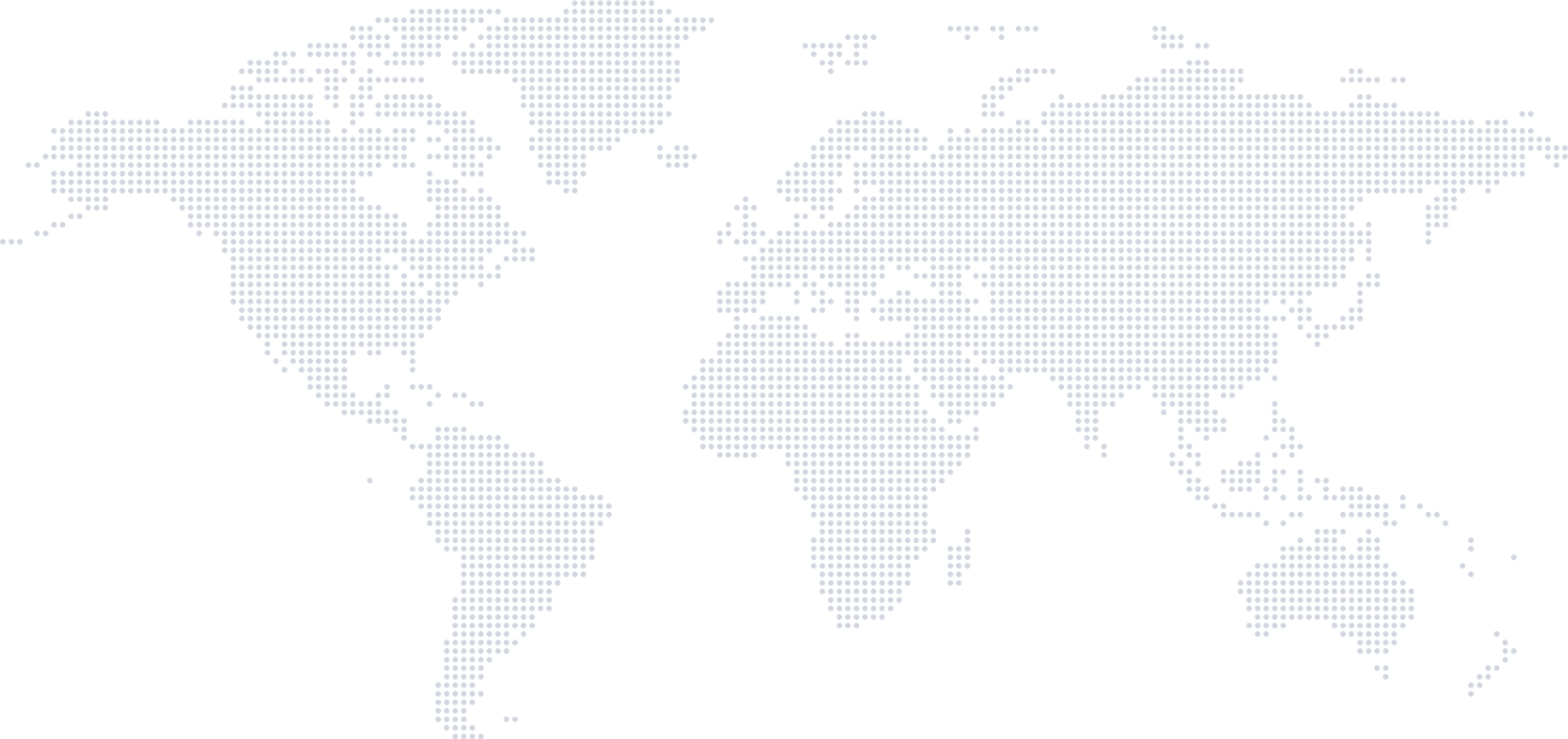
Hostripples provides virtual servers from data centers in North America, Europe, Asia and Australia. VPS locations include the USA, Canada, Germany, France, the UK, Poland, India, Singapore, Japan and Australia. VPS type and stock vary by location, so check the relevant plan page before ordering.
Explore Servers→Where your server runs
You pick the location when you order
Our servers are hosted in data centers run by our partners, in 11 countries. You choose the location at checkout and manage everything from your Hostripples client area.
Choose your location
Pick a data center close to your visitors when you order.
DDoS protection included
Servers are protected against DDoS attacks at no extra cost.
Monitored servers
Our engineers monitor the servers around the clock and look at anything that breaks.
Which server location should you choose?
Start with where your visitors, players or staff actually are, then pick the closest data center that sells the product you need. The second half of that sentence matters. Not every product is offered in every city, so the right answer is sometimes a small compromise. Here is how it usually works out, audience by audience.
Southeast Asia and the wider Asia-Pacific region. Singapore is the usual choice, and it is a sensible second location for a US business that has started selling across Asia. Options are SSD VPS, NVMe VPS, dedicated servers and cPanel web hosting.
Japan. Tokyo has SSD VPS and Storage VPS. That is the full list for Japan today, so if you need NVMe or a dedicated machine, you will be choosing a different country.
Europe. Germany, France, the UK and Poland all have NVMe VPS and Cloud VPS pages, for example Germany and the UK. France also has dedicated servers.
North America. Canada has NVMe VPS and dedicated servers. For visitors in the USA we offer SSD VPS in USA East, USA Central and USA West.
What server location changes, and what it does not
Moving a site between regions takes planning, so it pays to understand the trade-offs before you pick one of our data center locations.
Latency and time to first byte
Each request makes a round trip between the visitor and your server, and every extra mile and network hop adds delay. Loading one page takes several of those trips: DNS, the TLS handshake, the HTML, then CSS, scripts and images. Hosting in the same country or region as your audience shortens every one of them, and the difference is most visible in time to first byte, the pause before anything arrives.
Where a CDN helps
A CDN caches static assets such as images, stylesheets and JavaScript close to visitors, and that takes a lot of weight off the origin. Dynamic responses are different: a cart, an account page or an API call is generated on your server every time. If that server is on another continent, those requests stay slow no matter which CDN you use. Place the origin near your users, then let the CDN carry the static files.
Location and search rankings
The effect is real but indirect. Google measures how pages perform for actual visitors, so a slow first byte for your main audience can cost you both rankings and sales. As a signal of which country you target, server location is weak. A country domain, content language and currency, hreflang between regional versions and local links count for far more, so do not move a server just to rank somewhere new.
Data residency is not compliance
Picking a location is the simplest way to keep data in one country, but laws such as GDPR or US state privacy acts usually follow the people whose data you collect and the business collecting it, not the address of the data center. The data location section below covers this in general terms.
Problems location will not solve
An unoptimized site is slow everywhere. Huge images, dozens of plugins, missing database indexes and a theme pulling in six fonts will drag in Kansas City just as they do in Frankfurt. Fix caching, image sizes and slow queries first; our WordPress speed guide walks through it. Location is the last tuning step, and often the first thing blamed.
Server locations in India and Asia-Pacific
India
India has the widest coverage in our network: SSD VPS, NVMe VPS, Cloud VPS, Storage VPS, dedicated servers and web hosting all have India pages. Mumbai is one of India's main internet gateways, and that is where our dedicated servers sit. SSD VPS in India is in New Delhi instead. If most of your users are spread across India, the difference between the two cities is small next to the difference between India and anywhere overseas, so choose by product first. India stays at UTC+5:30 all year with no daylight saving, which is 10.5 hours ahead of US Eastern time in winter and 9.5 hours ahead in summer.
Singapore
Singapore is a major connectivity hub for Southeast Asia, which makes it the natural choice for many businesses growing into Asia. Apart from India, it has more of our product range than any other location: SSD, NVMe, Cloud and Storage VPS, dedicated servers and shared web hosting. Singapore time is UTC+8 all year, which is 13 hours ahead of US Eastern time in winter and 12 hours ahead in summer. Sale seasons like 11.11 and 12.12 bring big traffic spikes across the region, which is a good reason to have the origin close to the shoppers.
Japan
Tokyo is Japan's capital and largest city, and it is where our Japan servers are. You can get SSD VPS or Storage VPS there, nothing else for now. Japan time is UTC+9. If your audience is Japanese, a local server is worth having, particularly for anything interactive such as game or app backends. Golden Week brings a predictable burst of traffic, so size accordingly.
Australia
Sydney is Australia's biggest city and the distance to the rest of the world is long, so serving Australian visitors from a European or Asian server is noticeable. We offer SSD VPS, NVMe VPS, Cloud VPS, Storage VPS and dedicated servers. Sydney runs on UTC+10, or UTC+11 during daylight saving, roughly October to April, so schedule maintenance windows with that shifting offset in mind. Trading peaks such as Boxing Day and the end of the financial year on June 30 are worth planning for.
Server locations in Europe and North America
Europe
We offer servers in Germany, France, the UK, Poland and Italy. Germany and the UK have the widest VPS choice, with SSD VPS (Germany, UK), NVMe VPS, Cloud VPS and Storage VPS pages. In France there are NVMe VPS, Cloud VPS, dedicated servers and web hosting. Poland has NVMe VPS and Cloud VPS. Italy is part of our network and shown on the map above, but none of our product pages lists Italy today, so ask us through the contact page before you plan around it. A European location suits European audiences, and also works as a mid-point if your visitors are split between the US and India.
North America
Canada has NVMe VPS, Cloud VPS, dedicated servers and web hosting. For visitors in the US, we offer SSD VPS and Storage VPS in three places: USA East (New York), USA Central (Kansas City) and USA West (Los Angeles). A server in the middle of the country gives a reasonable compromise for coast-to-coast traffic, while East or West suits an audience concentrated on one side. Check the plan page for the location you pick to see exactly what is offered there.
What is offered where
This table lists the published pages for each of our data center locations. The VPS locations make up most of it, while dedicated server locations are fewer: India, Singapore, Australia, Canada and France. A dash means we have no page for that product there. The plan page shows live stock, so a link here is not a promise that every plan is available today.
| Location | SSD VPS | NVMe VPS | Cloud VPS | Storage VPS | Dedicated | Web hosting |
|---|---|---|---|---|---|---|
| India | SSD (New Delhi) | NVMe | Cloud | Storage | Dedicated (Mumbai) | Hosting |
| Singapore | SSD | NVMe | Cloud | Storage | Dedicated | Hosting |
| Japan (Tokyo) | SSD | - | - | Storage | - | - |
| Australia (Sydney) | SSD | NVMe | Cloud | Storage | Dedicated | - |
| Germany | SSD | NVMe | Cloud | Storage | - | - |
| France | - | NVMe | Cloud | - | Dedicated | Hosting |
| UK | SSD | NVMe | Cloud | Storage | - | - |
| Poland | - | NVMe | Cloud | - | - | - |
| Canada | - | NVMe | Cloud | - | Dedicated | Hosting |
| USA East (New York) | SSD | - | - | Storage | - | - |
| USA Central (Kansas City) | SSD | - | - | Storage | - | - |
| USA West (Los Angeles) | SSD | - | - | Storage | - | - |
| Italy | - | - | - | - | - | - |
What stays the same at every location
The place changes. The way we work does not.
You choose at checkout
The data center is picked when you order, and the plan page shows what is in stock there before you commit.
DDoS protection on servers
VPS and dedicated servers come with DDoS protection, wherever in our network they are hosted.
Support around the clock
Support answers 24/7 by live chat, email and ticket, whichever country your server is in.
Root access on VPS and dedicated
SSD VPS, NVMe VPS and dedicated servers give you full root access, so your stack and your rules stay yours.
One client area
Manage servers in different countries from a single Hostripples account, not a separate login per location.
Familiar ways to pay
Pay by card or with the other payment options shown at checkout. Taxes, where they apply, are added at checkout.
Choosing a location by workload
Different projects hurt in different places. Here is how we would think about the usual ones.

Online store
Shoppers abandon slow checkouts, and checkout pages can't be cached. Put the origin where most of your buyers are. For a store selling mainly in the US, that means one of our USA locations, and it matters most in sale weeks. Black Friday traffic arrives all at once, so give yourself headroom and test before the holiday rush, not during it.
SaaS and APIs
Think about who calls the API. If the callers are browsers, locate near your users. If they are other servers, such as a payment gateway or a partner system, locate near them, and keep the database in the same place as the application. A fast app server talking to a faraway database is slower than both being in one spot.
Game servers
Players feel distance as ping, so the location should be where most of your players live: USA East, Central or West for the US, Singapore for Southeast Asia, Sydney for Australia, Tokyo for Japan. The Singapore and Australia dedicated pages list gaming-oriented plans, including Standard Gaming 1, if you want a whole machine.
Media, downloads and large files
Put a CDN in front of anything large and public, and keep the master copies on a server with plenty of disk. Storage VPS pages exist in India, Singapore, Germany, the UK, Japan, Australia and the three USA locations.
Agencies and resellers
Locate each client's site near that client's audience rather than putting everything in one place. Staging sites can live anywhere cheap and convenient, since nobody visits them.
Backups and disaster recovery
A snapshot on the same server is not a backup. Follow the 3-2-1 idea: three copies, two kinds of storage, one off-site. Make the off-site copy a different location from the primary. A store hosted in USA East with copies in USA West survives a bad day in one city.
Two locations at once
Running in two places is useful when your audience truly spans regions, but it brings real work: keeping the database in sync, deciding which copy wins in a conflict and handling failover. Many teams do better with one well-run primary and a CDN, and add a second region only when the evidence says so.
How to test a location before you commit
Guessing is cheap, measuring is better. Run these from the places your visitors really are. A laptop on home broadband, a colleague's phone in another city, or a small server in the target region will all do.
# Connect time, time to first byte and total time for one page
curl -o /dev/null -s -w 'connect %{time_connect}  first byte %{time_starttransfer}  total %{time_total}\n' https://example.com/

# Route and packet loss from your network to a server
mtr -rwc 50 203.0.113.10
Run the curl line a few times and take the typical result, not the best one. For your own site, the number to watch is the first byte, since that is where distance and slow code both show up. With mtr, look for loss that continues to the final line (loss on one middle hop that vanishes later is usually just a router deprioritizing replies) and for a route that detours through a far-off country. On Windows, tracert does a rougher version of the same thing.
For a proper comparison, order the smallest plan in each shortlisted location, put a copy of your site on it, and measure with the same tools. Remember that SSD VPS is delivered within 2-3 days, so order ahead if you are working to a launch date.
Data location, privacy and compliance basics
This section is general information, not legal advice. Check your own situation with your own advisor. One principle applies everywhere: hosting in a country does not by itself make you compliant with that country's rules, and being compliant does not always require a server in that country.
India
The Digital Personal Data Protection Act, 2023 (DPDP Act) covers digital personal data of people in India. Some regulated sectors, payments being a common example, have their own rules about where data must be stored. If you handle card or payment data, the responsibility for checking those rules is yours, so read them before you choose a location.
Singapore
The Personal Data Protection Act 2012 (PDPA) sets rules for how organizations collect, use, protect and transfer personal data. A Singapore server helps if you want data close to Singapore customers, but the PDPA is about how you handle the data.
Japan
The Act on the Protection of Personal Information (APPI) governs how personal information is handled, including rules for providing data to parties outside Japan. If you run a Japanese service, ask your advisor how that applies to backups and support access.
Australia
The Privacy Act 1988 and the Australian Privacy Principles include rules on disclosing personal information overseas, and the Notifiable Data Breaches scheme covers what happens after a breach. Where your servers sit and where your backups sit can both be relevant.
Europe
The GDPR applies based on whose data you handle, not only where the server is. A UK or German server doesn't make you GDPR-ready, and a server in the USA or India doesn't exempt you if you serve people in Europe.
Moving a project to another location
You pick the data center when you order, so changing location in practice means ordering a server in the new place and moving across. It is routine work, and a quiet afternoon is enough for a small site. The steps below are general advice rather than a description of one specific setup.
- Lower your DNS TTL. A day or two before the move, drop the TTL on the records you will change to something short, such as 300 seconds. Visitors then pick up the new address quickly at cut-over.
- Build the new server. Install the same stack and versions: PHP, Node, database, web server. Match the old server's configuration files first, then improve things later.
- Copy the files.
rsync -avzover SSH transfers only what changed, so you can run it several times. Database dumps withmysqldumporpg_dumpwork for most sites, restored on the new server. - Test before DNS changes. Point your own computer to the new IP with a hosts file entry and click through the site, checkout, login and forms.
- Freeze writes and sync again. For a store, pause orders for a short time, repeat the rsync, and take a final database dump so nothing is lost.
- Switch DNS. Update the record to the new IP. Watch both servers' logs for a few hours.
- Keep the old server a few days. Once traffic has settled, raise the TTL back and take a last backup before cancelling.
Got Questions?
Choosing a data center: FAQ
Plain answers about our locations, what each one offers and how to pick.
Start with where your visitors actually are, then choose the nearest data center that sells the product you need; the table on this page shows what each location offers. For a split audience, serve the largest group and add a CDN, and test with curl from a few places before deciding.
Indirectly. Search engines reward pages that load quickly for real users, and a nearby server helps, especially time to first byte. As a country signal it is weak compared with your domain, content language and hreflang, so do not relocate a server only for rankings.
East is New York, Central is Kansas City and West is Los Angeles, and each offers SSD VPS and Storage VPS. The gap between them is small next to hosting abroad. Choose Central for nationwide traffic and East or West if your users lean to one coast, and test if unsure.
Yes. A CDN speeds up static files, but carts, logins, dashboards and API responses still come from your origin. A distant origin keeps those slow, so treat the CDN as an addition to a well-placed server.
Dedicated server pages with live stock cover India (a Mumbai data center), Singapore, Australia (Sydney), Canada and France. For any other location, check that location's plan pages or ask our team.
Eight: India, Germany, France, the UK, Poland, Canada, Singapore and Australia, all with the same plans and prices. Tokyo and the US locations do not have NVMe VPS; use SSD VPS there instead.
SSD VPS and Storage VPS in Tokyo. Japan has no NVMe VPS, dedicated server or web hosting page today. If you need those for an Asian audience, Singapore has the widest range, though it is outside Japan.
Sometimes. NVMe VPS is priced the same in all eight of its locations. SSD VPS prices update for the data center you choose and can include a location surcharge. Taxes, where applicable, are added at checkout.
SSD VPS is delivered within 2 to 3 days, so plan ahead of launches. Other products show stock and delivery on their plan pages, and our team can confirm timing if you are working to a deadline.
No. The DPDP Act, 2023 governs how you collect and handle digital personal data of people in India, not only where it is stored, and some sectors such as payments add their own storage rules. This is general information; check with your adviser.
Next to your players: Singapore for Southeast Asia, Sydney for Australia, Tokyo for Japan, and our USA East, Central or West locations for players in the US. The Singapore and Australia dedicated pages also list gaming plans, including Standard Gaming 1.
Yes, by ordering a server in each. The work is in the design: syncing the database, choosing the source of truth and failing over cleanly. For most small projects, one well-run primary plus a CDN is the better choice.
Yes. Our team is available 24/7 by live chat, email and ticket. Tell us where your audience is, what you run and any compliance needs, and we will point you to the right plan page and what is in stock.
Yes. Our VPS plans run in ten countries across North America, Europe, Asia and Australia: the USA, Canada, the UK, Germany, France, Poland, India, Singapore, Japan and Australia. One account and one bill cover servers in any of them, and each plan page lists its locations and stock.
Still have questions?
Our support team is live 24/7.
Deploy in the datacenter closest to your users
Order a VPS in the USA, Europe, Asia or Australia, or a dedicated server in Canada, Europe, Asia or Australia.